

H1 to H6 Tags in SEO: The Simple Guide That’ll Make Google (and Readers) Love Your Content
Ever opened a book with no chapters, no headings, just one giant wall of text? Nightmare, right? That’s exactly what your website looks like to Google without proper heading tags. Let me show you how to fix that.
What Are H1 to H6 Tags Anyway? (In Normal Human Language)
Okay, forget the technical stuff for a second.
Imagine you’re writing a school essay. You have:
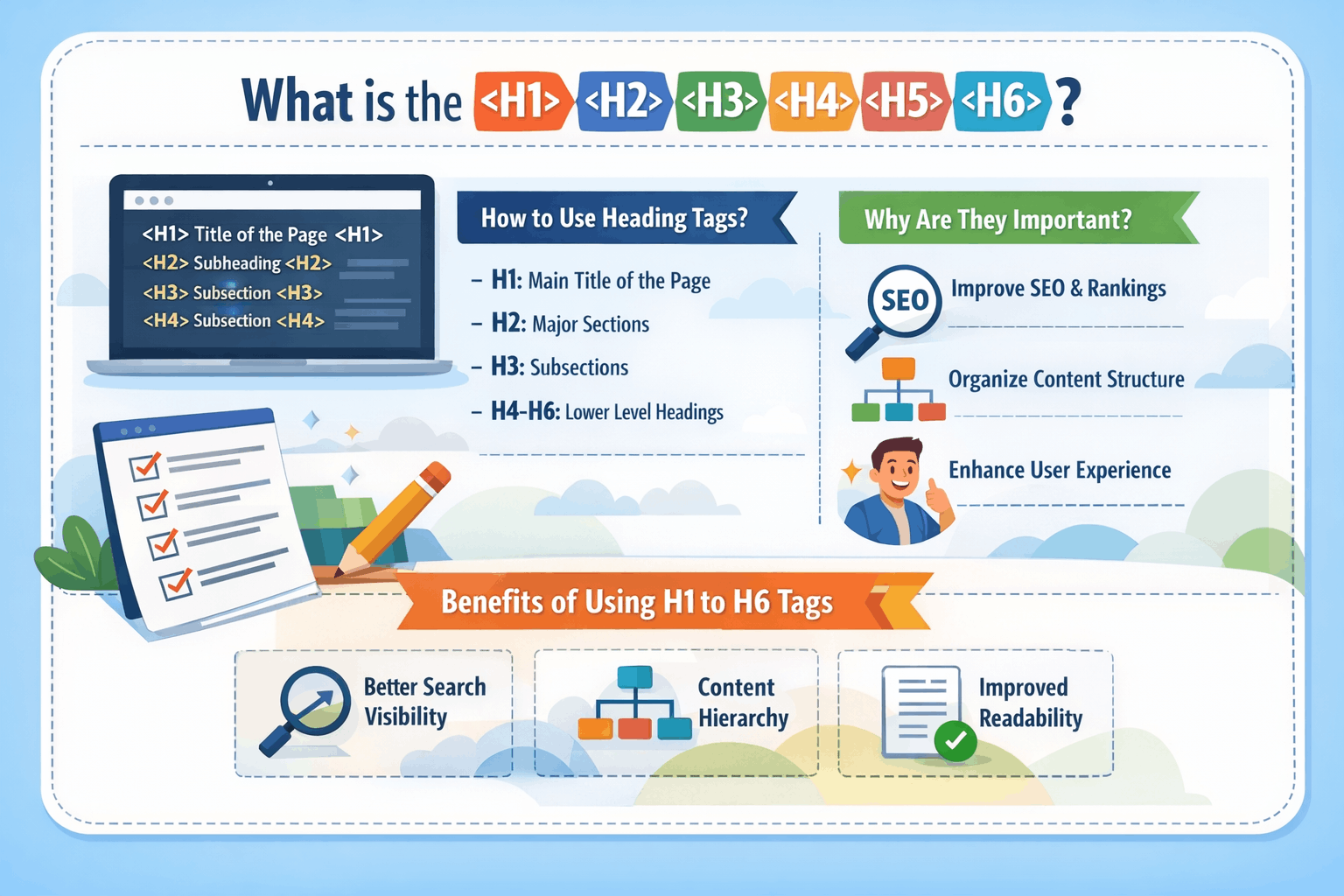
- A main title at the top (that’s your H1)
- Chapter headings (those are H2s)
- Sub-sections under chapters (H3s)
- Smaller points under those (H4, H5, H6)
That’s literally it. H1 to H6 tags are just different levels of headings on your webpage.
The “H” stands for “Heading” and the numbers 1-6 show the importance level. H1 is the boss. H6 is the intern. Everyone has a role.
Think of it like a family tree:
- H1 = Grandparent (only one, the most important)
- H2 = Parents (main sections)
- H3 = Children (sub-sections)
- H4-H6 = Grandchildren, great-grandchildren (smaller details)
Google reads your website the same way you’d read a table of contents in a book. These tags tell Google, “Hey, this is what my page is about, and here’s how it’s organized.”
Why Should You Care About Heading Tags? (The Honest Truth)
Here’s the deal: Google is lazy. Well, not lazy – efficient.
Google doesn’t want to read every single word on your 2,000-word article to figure out what it’s about. It wants shortcuts. Heading tags are those shortcuts.
Here’s what happens when you use heading tags correctly:
Google understands your content faster (which means better rankings). Readers can scan your page and find exactly what they need (which means they stay longer). Your content looks professional and organized (which builds trust). People with screen readers can navigate your site easily (which is just being a decent human).
And here’s what happens when you don’t use them:
Google gets confused about your content. Readers see a wall of text and leave immediately. Your beautiful content gets ignored because it looks like a mess. You rank lower than competitors who organize their content better.
I’ve seen websites jump from page 5 to page 1 just by fixing their heading structure. No joke.
The Complete Breakdown: H1 to H6 (What Each One Does)
Let me break down each heading tag like we’re having coffee together.
H1 Tag: The Superstar of Your Page
What it is: Your main title. The big boss. The one thing your entire page is about.
The golden rules:
Only use ONE H1 per page (yes, just one – this is super important). Make it clear what your page is about. Include your main keyword naturally. Keep it between 20-70 characters if possible.
Good H1 examples:
- “How to Bake Perfect Chocolate Chip Cookies”
- “Complete Guide to Digital Marketing for Beginners”
- “10 Best Restaurants in Bangalore You Must Try”
Bad H1 examples:
- “Welcome to My Website” (too vague)
- “Click Here to Learn About Everything Related to Cooking Including Recipes, Tips, and Much More” (way too long)
- Having multiple H1s like “About Us” and “Our Services” on the same page (confusing!)
Real talk: Your H1 is like your first impression. You don’t get a second chance. Make it count.
Think about it – when you Google something and see results, what makes you click? A clear, compelling title, right? That’s often the H1 tag.
H2 Tag: Your Main Sections
What it is: The chapter headings. The main topics you’ll cover under your H1.
How to use them:
Use multiple H2s (as many as you need for main sections). Each H2 should cover a distinct topic. They should flow logically from one to another. Include related keywords naturally.
Example structure:
Let’s say your H1 is “Complete Guide to Home Gardening”
Your H2s might be:
- Getting Started with Home Gardening
- Essential Tools You’ll Need
- Best Plants for Beginners
- Common Mistakes to Avoid
- Maintaining Your Garden Year-Round
See how each H2 is a major section? Each one could be its own chapter.
Pro tip: If you can’t think of at least 2-3 H2s for your content, your topic might be too narrow or you need more content.
H3 Tag: The Supporting Details
What it is: Sub-sections under your H2s. The details that support your main points.
How to use them:
Use H3s to break down H2 sections into smaller parts. They live UNDER H2s, not randomly scattered. Use them when you have multiple points to make within a section.
Example:
H2: Best Plants for Beginners H3: Indoor Plants H3: Outdoor Plants H3: Herbs You Can Grow in Small Spaces
See the hierarchy? The H3s are all related to the H2 above them.
Common mistake: People jump from H1 straight to H3, skipping H2. Don’t do that. It’s like writing Chapter 1, then jumping to Section 1.2.1 without having Section 1.2. Confusing for everyone.
H4 to H6 Tags: The Fine Print
What they are: Even smaller sub-sections. Honestly, most websites rarely need to go beyond H4.
When to use them:
H4: When you need to break down H3 sections further H5 & H6: Very detailed, technical content, or long comprehensive guides
Real example:
H1: Complete SEO Guide H2: On-Page SEO H3: Title Tags H4: How to Write Title Tags H4: Title Tag Length Best Practices H5: Mobile vs Desktop Considerations H5: International SEO Title Tags
Honest advice: If you’re using H5 and H6 regularly, your content might be too complex or you might be over-structuring. Keep it simple.
Most blog posts work perfectly fine with just H1, H2, and H3. Save the deeper levels for massive guides or technical documentation.
The Hierarchy Rule (This Is Where People Mess Up)
Imagine you’re building a house. You don’t start with the roof, right? You start with the foundation.
Heading tags work the same way.
The correct order:
H1 (always at the top, just once) H2 (main sections) H3 (sub-sections under H2) H4 (details under H3) H5 (if you really need it) H6 (rarely used)
What you should NEVER do:
❌ H1 → H3 → H2 (skipping levels randomly) ❌ H3 → H2 → H1 (going backwards) ❌ Using H1 multiple times on one page ❌ Using headings just to make text bigger
Think of it like an outline you made in school:
I. Main Topic (H1) A. First Section (H2) 1. Detail (H3) a. Sub-detail (H4)
You wouldn’t write: I. Main Topic a. Random detail A. Wait, going back to main section
That would be chaos. Same with heading tags.
How Google Actually Uses Your Heading Tags
Let me pull back the curtain on what Google is really doing.
Step 1: Google crawls your page
Google’s bots visit your website (fancy word: Googlebot). They scan your HTML code. They look for heading tags to understand your content structure.
Step 2: Google analyzes your headings
“Okay, the H1 says this page is about ‘Home Coffee Brewing Methods.’ The H2s mention ‘French Press,’ ‘Pour Over,’ ‘Espresso Machine.’ Cool, this page is comprehensive about coffee brewing.”
Step 3: Google matches to search intent
Someone searches “how to make coffee at home.” Google thinks: “This page has clear sections about different methods. The headings show it’s well-organized. Let’s rank it higher.”
Step 4: Google tests user behavior
People click on your result. They stay on your page for 5 minutes reading. They don’t bounce back to Google immediately. Google thinks: “Great! People found what they needed. Let’s keep this ranked well.”
Here’s the thing: Heading tags alone won’t make you rank #1. But they’re a crucial piece of the puzzle.
It’s like asking, “Will buying good running shoes make me win a marathon?” Not by themselves. But try running a marathon in flip-flops and see what happens.
Step-by-Step: How to Use Heading Tags the Right Way
Alright, enough theory. Let’s get practical.
Step 1: Start with Your H1
Before writing anything, decide on your main topic.
Ask yourself: “If someone reads only one sentence on my page, what should they know?”
That’s your H1.
Example process:
Topic: Teaching people about home workouts
Weak H1: “Fitness” (too broad) Better H1: “Home Workouts” (better, but still vague) Best H1: “30-Minute Home Workout Plan for Beginners (No Equipment Needed)”
See the difference? The best H1 tells you EXACTLY what you’re getting.
Step 2: Plan Your H2s (Your Content Outline)
Before writing content, list your main sections.
Use this formula:
What questions will my reader have? What are the main topics I need to cover? What’s the logical flow of information?
Example for “30-Minute Home Workout Plan”:
H2: Why Home Workouts Work H2: What You’ll Need (Spoiler: Just Your Body) H2: Warm-Up Routine (5 Minutes) H2: The Main Workout (20 Minutes) H2: Cool-Down Stretches (5 Minutes) H2: Common Mistakes to Avoid
Boom. You’ve got a skeleton. Now you just fill in the meat.
Step 3: Add H3s for Details
Under each H2, break down the information further.
Example:
H2: The Main Workout (20 Minutes) H3: Upper Body Exercises H3: Lower Body Exercises H3: Core Strengthening H3: Cardio Bursts
Each H3 would then list specific exercises, reps, and instructions.
Step 4: Review Your Structure
Before hitting publish, look at just your headings.
Ask yourself:
Do they tell a story on their own? Can someone scan just the headings and understand my content? Is there a logical flow? Did I skip any levels?
If you answer “no” to any of these, revise.
Step 5: Make Sure Your Keywords Are Natural
Here’s where people get spammy. Don’t do this:
❌ H1: Best SEO Services ❌ H2: Best SEO Services in Bangalore ❌ H3: Affordable Best SEO Services in Bangalore
That’s keyword stuffing. Google hates it. Humans hate it.
Instead:
✅ H1: Complete Guide to SEO Services in Bangalore ✅ H2: What SEO Services Include ✅ H3: On-Page Optimization
See? Natural, readable, helpful.
The rule: If it sounds robotic, rewrite it. Your headings should sound like something a human would say.
Real Examples: Good vs Bad Heading Structure
Let me show you two ways to structure the same content.
Topic: “How to Start a Blog”
Bad Structure (Don’t Do This):
H1: Welcome to My Website H1: About Blogging H3: Why Blog H2: Getting Started H4: Choose a Platform H2: Writing Your First Post H2: WordPress Tutorial H3: Installing Plugins H2: Making Money
Why it’s bad:
Multiple H1s (confusing). Skipping from H1 to H3. No logical flow. H4 appears randomly without H3 parent. Sections don’t build on each other.
Good Structure (Do This):
H1: How to Start a Successful Blog in 2026 (Complete Beginner’s Guide)
H2: Why You Should Start a Blog Today H3: Personal Benefits of Blogging H3: Financial Opportunities
H2: Choosing Your Blogging Platform H3: WordPress (Best for Beginners) H3: Other Platform Options
H2: Setting Up Your Blog (Step-by-Step) H3: Buying a Domain Name H3: Getting Web Hosting H3: Installing WordPress
H2: Writing Your First Blog Post H3: Finding Your Topic H3: Structuring Your Post H3: Adding Images and Media
H2: Promoting Your Blog H3: Social Media Strategies H3: SEO Basics for Bloggers
H2: How to Make Money from Your Blog
Why it’s good:
Single H1, crystal clear. Logical progression from start to finish. Consistent hierarchy. Each section builds on the previous one. Someone could follow this as a step-by-step guide.
Common Mistakes (And How to Fix Them)
Let me save you from the mistakes I see every single day.
Mistake #1: Using Headings for Style, Not Structure
What people do:
“I want this text bigger, so I’ll make it H2!”
Why it’s wrong:
Heading tags are for organization, not decoration. If you want bigger text, use CSS styling instead.
How to fix it:
Use heading tags only for actual headings. Style your text separately with font sizes and bold formatting.
Mistake #2: The “All H2” Disease
What people do:
H1: My Topic H2: First Point H2: Second Point H2: Another Point H2: And Another H2: This is Getting Ridiculous
Everything is H2. No H3s, no hierarchy.
Why it’s wrong:
It’s like writing a book where every single chapter is the same level of importance. No structure, no depth.
How to fix it:
If a point belongs under another point, make it an H3. Create actual hierarchy.
Mistake #3: Keyword Stuffing in Headings
What people do:
H1: Best Shoes H2: Best Shoes for Running H3: Best Running Shoes for Men H4: Best Men’s Running Shoes Online
Why it’s wrong:
It reads like a robot wrote it. Google is smarter than this now. It actually hurts your rankings.
How to fix it:
Write naturally. Include keywords, but focus on clarity and helpfulness first.
Mistake #4: Skipping the H1
What people do:
Start with H2 or H3, forgetting the H1 entirely.
Why it’s wrong:
Google expects an H1. It’s how it understands your main topic. Without it, you’re making Google work harder.
How to fix it:
Always start with one H1. Always.
Mistake #5: Multiple H1s on One Page
What people do:
H1: Welcome to Our Site H1: Our Services H1: Contact Us
Why it’s wrong:
Google gets confused about what your page is actually about. It’s like having three titles for one book.
How to fix it:
One page = One main topic = One H1. Everything else should be H2 or lower.
The Secret Sauce: Writing Heading Tags That People Actually Click
Here’s something most SEO guides won’t tell you:
Your headings aren’t just for Google. They’re for humans who are scanning your content.
Studies show that 80% of people scan content before reading. They look at headings first. If your headings don’t grab them, they leave.
How to write irresistible headings:
Use numbers: “5 Ways to…” beats “Ways to…”
Ask questions: “Why Aren’t You Ranking?” is more engaging than “Ranking Factors”
Promise a benefit: “How to Double Your Traffic” tells them what they’ll get
Be specific: “The 10-Minute Morning Routine” beats “Morning Routine Tips”
Use power words: Words like “Ultimate,” “Complete,” “Simple,” “Proven,” “Secret”
Example transformation:
Boring: “Social Media Marketing” Better: “Social Media Marketing Strategies” Best: “7 Social Media Strategies That Actually Work in 2026”
The best heading is both SEO-friendly AND human-friendly.
How to Check If Your Headings Are Working
You’ve written your content. Now what?
Method 1: The Scan Test
Read ONLY your headings from top to bottom. Do they tell a complete story? Can someone understand your content just from the headings? Is there a logical flow?
If yes, you’re good. If no, revise.
Method 2: The Google Search Console Check
After a few weeks, check Google Search Console. Look at which pages are getting clicks. Pages with good heading structure usually have better click-through rates.
Method 3: The Readability Test
Ask someone who knows nothing about your topic to read your headings. Can they explain what your article is about? If yes, your headings are clear.
Method 4: Check Your HTML
Right-click on your page, select “View Page Source.” Search for <h1>, <h2>, etc. Make sure they’re in the right order and you have just one H1.
Free tools to help:
- Hemingway Editor (checks readability)
- SEO Browser Extensions (shows heading structure)
- Google’s Rich Results Test
- Screaming Frog (for technical audits)
Mobile Matters: Headings on Small Screens
Here’s something people forget: Over 60% of web traffic is mobile now.
On mobile, your headings are even more important because:
Screen space is limited. People scan faster. Long paragraphs look overwhelming. Headings break up the text and make it breathable.
Mobile-specific heading tips:
Keep H1s shorter (they might break awkwardly on small screens). Make sure there’s enough white space around headings. Test on your phone, not just desktop. Avoid super long H2s that wrap into three lines on mobile.
Quick test: Open your article on your phone. Scroll quickly. Can you tell what each section is about just from headings? If yes, you nailed it.
Heading Tags for Different Types of Content
Not all content is the same. Here’s how to adjust.
For Blog Posts (Like This One):
- H1: Your main title
- H2: Major sections/topics
- H3: Sub-points under each section
- Rarely need H4 or beyond
For Product Pages:
- H1: Product name
- H2: Key features, specifications, reviews, FAQs
- H3: Specific details under each H2
For Service Pages:
- H1: Service you offer
- H2: Benefits, process, pricing, testimonials
- H3: Details under each benefit or process step
For Homepage:
Controversial opinion: Your homepage might need a different structure. Multiple sections with H2s is fine. Just make sure you still have ONE H1 – usually your main value proposition.
For Long-Form Guides:
This is where you might use H4 and occasionally H5. But still, keep it logical and hierarchical.
The Relationship Between Headings and Other SEO Elements
Heading tags don’t work alone. They’re part of a bigger picture.
Headings + Title Tags:
Your title tag (what shows up in Google search) might be similar to your H1, but doesn’t have to be exactly the same. The title tag can be more click-worthy. The H1 can be more descriptive.
Headings + Meta Description:
Your headings often inspire your meta description. If your H2s are “Benefits,” “How-To,” and “Common Mistakes,” your meta description might say: “Learn the benefits, step-by-step process, and avoid common mistakes.”
Headings + Content:
Each heading should introduce content that delivers on its promise. If your H2 says “Easy Ways to Save Money,” the content under it better have easy money-saving tips.
Headings + Internal Links:
You can link to specific sections using anchor links. “Jump to the ‘Common Mistakes’ section” – that works because you have a clear heading structure.
Everything connects. Good headings make everything else better.
Advanced Tips (For When You’re Ready)
Once you’ve mastered the basics, try these:
Tip 1: Table of Contents
For long articles (2000+ words), add a table of contents at the top linking to your H2s. WordPress plugins can do this automatically based on your headings.
Tip 2: Schema Markup
Advanced stuff, but heading tags help Google create better featured snippets and structured data.
Tip 3: Accessibility
Screen readers rely heavily on heading tags. Proper hierarchy helps visually impaired users navigate your content.
Tip 4: Internal Link Strategy
Use your H2 and H3 text as anchor text when linking internally. Example: “Check out our guide on [H2 heading text]”
Tip 5: Update Old Content
Go back to old articles. Check their heading structure. Update them with better hierarchy. You might see ranking improvements.
Real Results: What Happens When You Fix Your Headings
Let me share some real outcomes I’ve seen:
Case 1: E-commerce site had three H1s on every product page. Fixed to one H1. Organic traffic increased 23% in two months.
Case 2: Blog using only H2s throughout entire posts. Added proper H3 hierarchy. Average time on page went from 1:30 to 3:15.
Case 3: Service page with no clear headings, just bold text. Implemented proper H1-H3 structure. Jumped from position 15 to position 4 for main keyword.
Case 4: Long guide with H1, H2, H3, H4, H5, H6 all randomly mixed. Reorganized logically. Featured snippet appearance in Google searches.
I’m not saying heading tags alone did this. But they were a crucial part of the optimization.
Your Action Plan (Start Today)
Don’t let this be just another article you read and forget.
This week:
Day 1: Audit your website. Check how many pages have proper H1s. Use a browser extension or view page source.
Day 2: Pick your top 5 pages. Review their heading structure. Are they following the hierarchy rules?
Day 3: Fix the most important page first (probably your homepage or best-performing blog post). Rewrite headings to be clear and logical.
Day 4: Write your next piece of content with heading structure in mind from the start. Plan your H1, H2s, and H3s before writing anything else.
Day 5: Check your results in a month. Compare traffic, time on page, and rankings.
One heading at a time. You don’t need to fix everything today.
The Bottom Line (What You Really Need to Remember)
If you forget everything else, remember this:
One H1 per page – Your main topic Multiple H2s – Your main sections
H3s under H2s – Supporting details Follow the hierarchy – Don’t skip levels Write for humans first – Then optimize for Google Make headings descriptive – Tell people what they’ll learn
Heading tags are like signposts on a highway. Without them, people (and Google) get lost.
With them, everyone knows exactly where they are and where they’re going.
Final Thoughts
Look, SEO can feel overwhelming. There are a million things to optimize. But heading tags? They’re actually simple once you get the hang of it.
Think of them as your content’s skeleton. You wouldn’t want a skeleton with bones in the wrong places, right? Same principle.
Every article you write, every page you create – start with good heading structure. It becomes second nature after a while.
Google rewards well-organized content. Readers appreciate scannable content. You win on both fronts.
And here’s the beautiful part: Unlike some SEO tactics that require technical knowledge or expensive tools, heading tags are 100% in your control. You don’t need to be a developer. You don’t need special software.
You just need to think about structure before you write.
Whether you’re managing your own website or working with an SEO freelancer in Bangalore to optimize your content, proper heading structure should be non-negotiable. It’s one of the easiest wins in SEO – easy to implement, but powerful in results.
So go ahead. Check your website right now. Look at your headings. Are they helping or hurting you?
Fix them. Watch what happens.
Your content deserves to be read. Proper heading tags make sure it actually gets read.
Now stop reading and start implementing. Your rankings will thank you! 🚀