
The Mistake That’s Silently Killing Your Google Rankings
(Most Website Owners Get This Wrong — Here’s Everything You Need to Know)
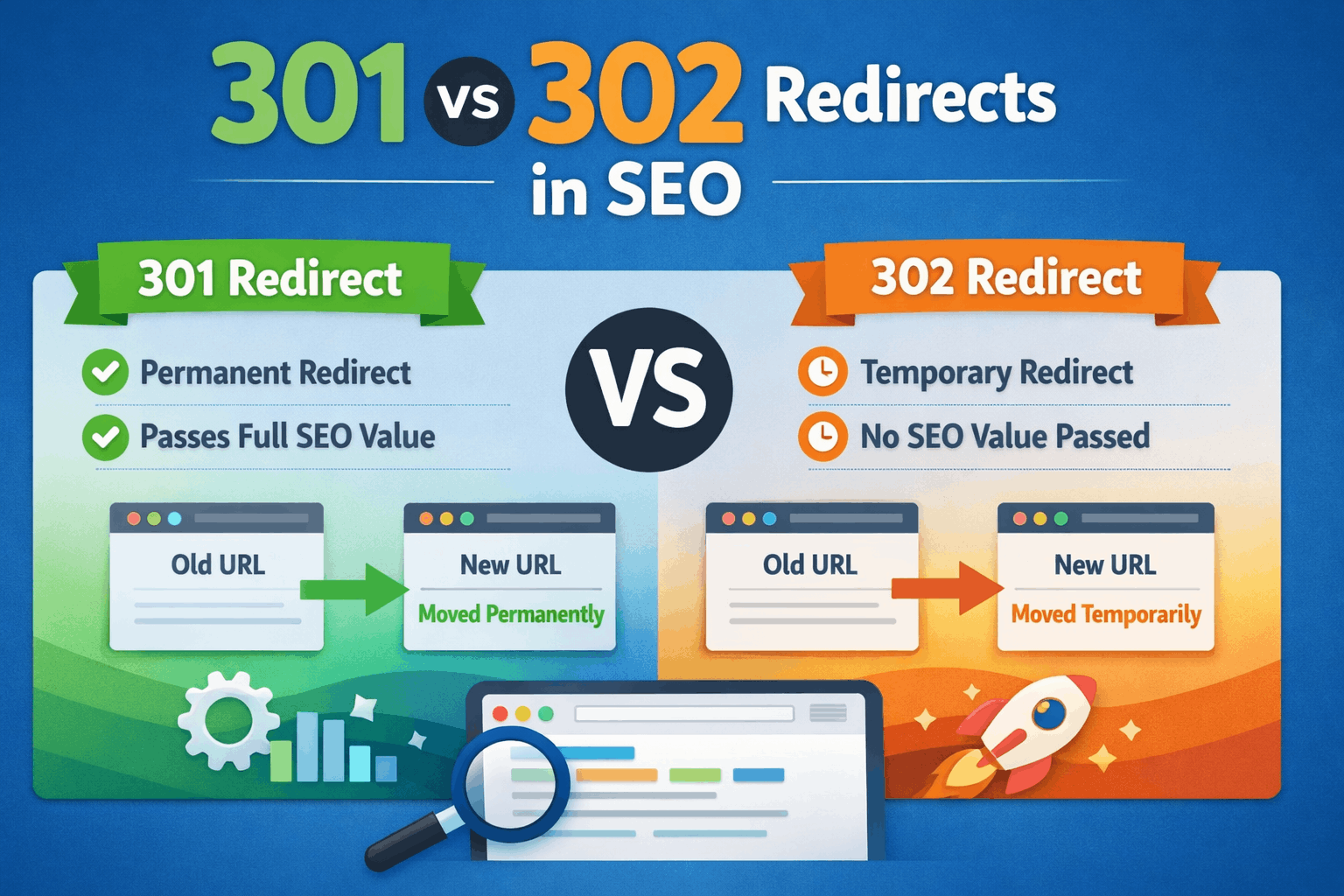
💡 Quick answer: A 301 redirect tells Google “this page has moved forever.” A 302 redirect says “this is just temporary.” Use the wrong one, and you can silently lose your SEO rankings without even knowing it. Let’s break it all down.
Okay, so you’ve heard these terms — 301 redirect and 302 redirect. Maybe someone mentioned them in a meeting. Maybe you Googled why your traffic dropped and ended up here. Either way, you’re in the right place.
These two redirects look almost identical on the surface. But for Google? They’re completely different. And using the wrong one can quietly wreck the SEO effort you’ve spent months building.
By the end of this guide, you’ll know exactly what each redirect does, when to use which, and how to avoid the mistakes that even experienced website owners make all the time.
And if you’re looking for an SEO freelancer in Bangalore to help you fix or set these up on your site — we’ve got a section for that too.
First Things First — What Even Is a Redirect?
Before we get into 301 vs 302, let’s make sure we’re on the same page about what a redirect actually is.
Imagine you’ve moved to a new house. You go to the post office and fill out a form that says: “Hey, send all my mail to the new address.” That’s basically what a redirect does — but for websites.
When someone types a URL into their browser and you’ve set up a redirect, Google or the visitor gets automatically sent to a new URL instead. They don’t have to do anything. It just happens.
Now here’s where it gets interesting. There are two main types of redirects that matter in SEO:
301 Redirect — Permanent move
302 Redirect — Temporary move
Simple enough, right? But the difference between these two is MASSIVE when it comes to how Google treats your pages. Let’s dig in.”
What Is a 301 Redirect? (The Permanent One)
A 301 redirect is what you use when a page has permanently moved to a new URL. The “301” is just a code that servers and browsers use — it’s like a language that tells Google: “This page is gone from here forever. Go to the new one.”
What happens when Google sees a 301?
Here’s what Google does when it sees a 301 redirect:
It follows the redirect to the new URL
It removes the old URL from its index
It transfers the SEO value (called “link juice”) from the old page to the new one
It starts ranking the NEW page instead of the old one
📣 Real-Life Example: Your website used to be at www.myshop.com/products/shoes-old and you changed it to www.myshop.com/collections/shoes. You set up a 301 redirect from the old URL to the new one. Google updates its records, passes all your ranking power to the new page, and your rankings stay intact.
When should you use a 301 redirect?
You’ve permanently renamed a page or blog post
You’ve changed your website’s domain (e.g., myoldsite.com → mynewsite.com)
You deleted a page and want to send visitors to a relevant page instead
You’re merging two websites into one
You switched from HTTP to HTTPS (very common!)
✅ Rule of Thumb: If a URL is NEVER coming back, always use a 301. It keeps your SEO power intact and tells Google exactly what’s going on.
⏱️ What Is a 302 Redirect? (The Temporary One)
A 302 redirect is used when you’re temporarily moving a page — and you plan to bring it back to the original URL later. The code “302” tells Google: “Don’t update anything yet. This is just for now.”
What happens when Google sees a 302?
It follows the redirect to the temporary URL
It keeps the OLD URL in its index (because it expects the page to return)
It does NOT fully transfer link juice or SEO power to the new URL
The new URL gets very little (or no) SEO benefit
📣 Real-Life Example: You’re running a summer sale and temporarily redirecting your homepage to a special sale landing page. After the sale, you’ll redirect it back. A 302 is perfect here — Google won’t start ranking the sale page instead of your homepage.
When should you use a 302 redirect?
You’re running a short-term promotion or sale page
You’re A/B testing two versions of a page
You’re doing maintenance on a page and temporarily redirecting traffic
You want to show a different page to users without changing anything permanently
⚠️ Warning: Never use a 302 for permanent changes. Google will keep trying to index the old URL, and your SEO effort on the new page will be wasted.
⚔️ 301 vs 302 — Side-by-Side Comparison
Let’s put them side by side so you can see the difference at a glance:
Feature 301 Redirect 302 Redirect
Type Permanent Temporary
Link Juice / SEO Power Passes ~99% Passes Little or None
Browser Caches It? Yes (long-term) No
When to Use Page moved forever Testing / Short-term
Index Old URL? No – replaces it Yes – keeps old URL
Safe for Rebranding? Yes No
Safe for A/B Testing? No Yes
Risk if Misused Medium High (SEO loss)
That table should make it pretty clear. The choice between 301 and 302 isn’t about technical preference — it’s about your intention. Permanent move? Use 301. Temporary? Use 302.
The Mistake That Kills Rankings (And How to Avoid It)
Here’s a situation that happens more often than you’d think, and it’s painful:
😱 The Costly Mistake: A website owner decides to rebrand. They move everything from oldsite.com to newsite.com. But instead of setting up a 301 redirect, they (or their developer) accidentally set up a 302. Google thinks the move is temporary, keeps indexing the old site, and NEVER passes the SEO power to the new site. Months go by. Rankings on the new site don’t improve. The owner is confused. Traffic is half of what it used to be.
The fix? Switch all those 302s to 301s. But the damage (lost time, lost traffic) was already done.
Other common redirect mistakes:
Redirect chains: Old URL → Middle URL → New URL. Every extra hop loses some SEO power. Go directly from old to new.
Redirect loops: URL A → URL B → URL A. Google (and your visitors) get stuck. Your page just doesn’t load.
Not redirecting www to non-www: www.mysite.com and mysite.com should redirect to one version. Google sees them as two different sites otherwise.
Forgetting to redirect after redesign: Old blog posts and product pages get 404 errors. All that built-up SEO value just disappears.
Using 302 for HTTPS migration: Always use 301 when switching from HTTP to HTTPS. A 302 here is a very common mistake.
What Does Google Actually Say About Redirects?
Good news — Google is pretty transparent about this. Here’s what their official documentation confirms:
📖 From Google: “When Googlebot encounters a 301, it understands the page has permanently moved, updates its index, and consolidates signals (like links) to the new URL. For 302s, Google typically keeps the original URL in the index while following the redirect for crawling.”
In practical terms, this means:
301 = Google updates everything to the new URL (good for permanent changes)
302 = Google hedges its bets and keeps the old URL active (good for temporary changes)
Google also confirms that 301 redirects pass PageRank (link juice). Older SEO advice said you lose some value with 301s, but Google’s John Mueller has clarified that in modern Google, a 301 passes essentially all link equity. So don’t be afraid to use them!
How to Set Up 301 and 302 Redirects
You don’t need to be a developer to understand how redirects are set up. Here’s a quick overview:
Option 1: Using a Plugin (WordPress)
If your site runs on WordPress, the easiest way is to use a plugin like Yoast SEO, Rank Math, or Redirection. You just enter the old URL, the new URL, and choose 301 or 302. Done.
Option 2: Editing .htaccess (Apache Servers)
If you have access to your server’s .htaccess file, you can add lines like:
Redirect 301 /old-page https://yoursite.com/new-page
Redirect 302 /temp-page https://yoursite.com/other-page
Option 3: Nginx Configuration
For Nginx servers, the setup goes in your config file and uses slightly different syntax. If you’re not comfortable with server files, it’s best to hand this off to a developer or an SEO expert.
Option 4: CDN or Hosting Panel
Platforms like Cloudflare, Shopify, Wix, or Squarespace often have built-in redirect managers where you can set these up without touching any code.
💡 Pro Tip: After setting up any redirect, test it using a tool like httpstatus.io or Screaming Frog to confirm it’s returning the right code (301 or 302) before going live.
How to Check Existing Redirects on Your Site
Not sure if your site already has redirects set up — or what type they are? Here’s how to check:
Screaming Frog SEO Spider: Crawl your entire site. It shows you every redirect, what type it is, and where it leads. Free for up to 500 URLs.
httpstatus.io: Just paste any URL and it tells you the redirect chain and status code instantly.
Google Search Console: Check the Coverage report for redirect errors or pages that aren’t being indexed as expected.
Browser Developer Tools: Open Chrome, press F12, go to Network tab, and visit the URL. You’ll see the status code in the first row.
Ahrefs / SEMrush: Both tools can audit your site for redirect issues as part of their site audit features.
Do Redirects Affect Mobile Rankings?
Great question — and yes, it matters. Google uses mobile-first indexing, meaning it primarily looks at the mobile version of your site to decide rankings.
If your desktop page has a 301 redirect set up correctly but your mobile version redirects to the homepage instead of the correct mobile page — that’s a problem. Google calls these “faulty redirects” and they can hurt your mobile rankings specifically.
✅ Best Practice: Make sure every redirect works consistently on both desktop and mobile. Each mobile URL should redirect to its equivalent mobile page, not just to the homepage.
This is especially important for e-commerce sites that have thousands of product URLs. A single faulty redirect setup can impact hundreds of pages at once.
Do Redirects Slow Down Your Website?
Yes, they can — but only slightly, and only if misused.
Every redirect adds a tiny bit of load time because the browser has to make an extra request. Normally this is just milliseconds, and users won’t notice.
BUT — redirect chains are a real problem. If you have:
URL A → URL B → URL C → URL D
…that’s four requests instead of one. On mobile, this latency adds up. Google also loses some link equity through each hop.
✅ Fix: Always redirect directly from the old URL to the final destination. Clean up redirect chains whenever you find them.
🏙️ Need Help? Here’s Why You Should Work With an SEO Freelancer in Bangalore
Setting up redirects sounds simple, but when you’re dealing with hundreds or thousands of pages, it gets complicated fast. A single wrong redirect can mean losing months of SEO progress.
That’s where working with an experienced SEO freelancer in Bangalore makes a real difference. Bangalore has a growing community of sharp, affordable SEO professionals who understand technical SEO inside out — including redirect audits, site migrations, and ranking recovery.
Here’s what a good SEO freelancer in Bangalore can do for you:
Audit your entire site for redirect issues and fix them
Handle domain migrations without losing your Google rankings
Set up 301 redirects when you redesign or restructure your website
Identify and clean up redirect chains and loops
Monitor your site in Google Search Console for crawl errors after redirects
Recover rankings lost due to incorrect redirect implementation
Whether you’re running a startup, a local business, or an e-commerce store — hiring an SEO freelancer in Bangalore is often much more cost-effective than a big agency. You get personalized attention, faster communication, and someone who’s genuinely invested in your results.
💡 Pro Tip for Businesses: Before hiring, ask any SEO freelancer: “Can you show me a redirect audit you’ve done before?” A good freelancer will have concrete examples and will explain the results clearly — not hide behind jargon.
FAQs — The Questions People Always Ask About Redirects
Does a 301 redirect hurt SEO?
No. In modern Google, a properly implemented 301 redirect passes nearly all link equity to the new page. It does NOT hurt your SEO — in fact, not redirecting is far worse.
How long does it take Google to recognize a 301 redirect?
It can take anywhere from a few days to several weeks, depending on how often Googlebot crawls your site. High-authority sites get crawled more frequently, so they may see faster updates.
Can I change a 302 redirect to a 301 later?
Yes! And you often should. If you originally set up a temporary redirect but now the change is permanent, switch it to 301. Google will update its index accordingly.
What happens if I remove a redirect too soon?
If Google hasn’t fully updated its index yet, removing the redirect means users will hit a 404 error (page not found) on the old URL. Keep redirects in place for at least 6-12 months minimum.
Does a 301 redirect affect backlinks?
Yes, in a good way. When other websites link to your old URL, a 301 redirect passes that link power to your new URL. You don’t lose the backlink value — it just moves to the new page.
Should I redirect HTTP to HTTPS with a 301 or 302?
Always use a 301. The HTTPS version of your site is permanent, not temporary. Using a 302 here is one of the most common SEO mistakes during SSL migration.
📋 Quick Checklist — Redirects Done Right
✅ Before You Redirect: • Decide if the change is permanent (301) or temporary (302)
- Map out all old URLs and where they should point
- Avoid chains — redirect straight to the final destination
- Back up your site before making server-level changes
✅ After You Redirect: • Test each redirect with a tool like httpstatus.io
- Check Google Search Console for crawl errors
- Monitor rankings over the next 2-4 weeks
- Update your sitemap and submit it to Google
- Update internal links from old URLs to new ones
Final Thoughts
Here’s the truth: 301 and 302 redirects aren’t complicated once you understand the core idea. It really comes down to one question:
“Is this move permanent or temporary?”
Permanent → 301. Temporary → 302. That’s honestly 90% of what you need to know.
The other 10% is avoiding the common mistakes — redirect chains, missing redirects after redesigns, using 302 when you mean 301 — which is where most websites bleed their SEO without even knowing it.
If you’re unsure about your site’s redirect situation, or if you’ve recently done a migration that didn’t go as planned, consider reaching out to an SEO freelancer in Bangalore. A proper redirect audit can reveal issues that have been silently hurting your traffic for months — and fixing them can give your rankings a noticeable boost.

I am Abhijeet Banerjee a dedicated SEO Specialist focused on driving organic growth and improving search visibility. I use a data-driven approach to technical SEO, content strategy, and link building to deliver measurable results and increase ROI for clients and projects