
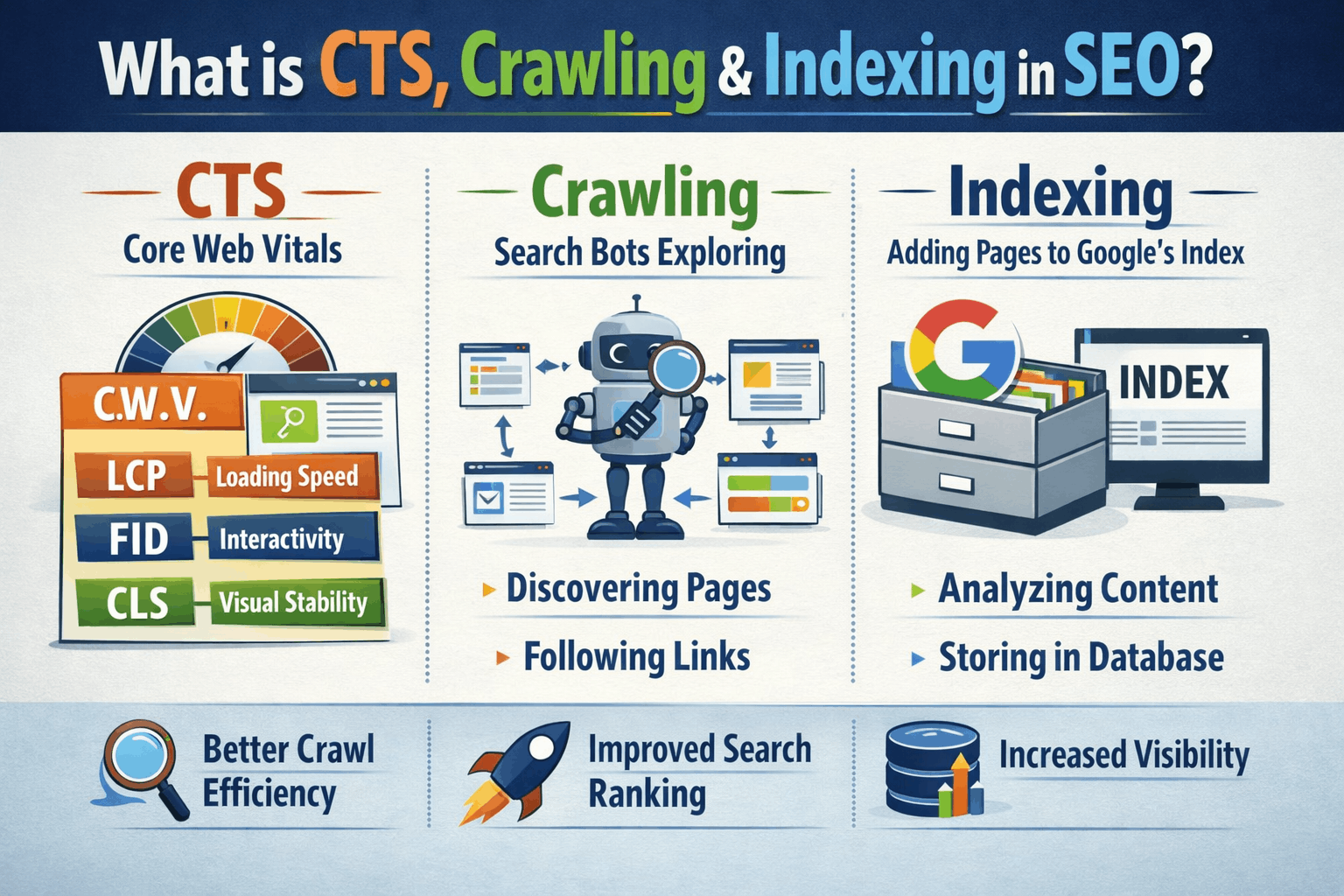
Ever uploaded a blog post and wondered, “Why isn’t Google showing this to anyone?” Or watched your website sit invisible while competitors get all the traffic? The answer lies in three magic words: CTR, Crawling, and Indexing. Let me break this down so simple, your grandma could understand it.
What’s This Article Really About? (Let’s Set Expectations)
Look, SEO has a lot of confusing terms. But here’s the thing – you don’t need a computer science degree to understand how Google works.
Today, we’re talking about three fundamental concepts that control whether your website succeeds or fails:
- CTR (Click-Through Rate) – Why people click on your result (or don’t)
- Crawling – How Google discovers your content
- Indexing – How Google stores and remembers your content
Think of it like a restaurant. Crawling is Google walking past your restaurant. Indexing is Google adding your restaurant to their directory. CTR is how many people actually walk in after seeing your sign.
Simple, right? Let’s dive deeper.
Part 1: What Is CTR in SEO? (And Why It’s Your Secret Weapon)
The Simple Definition
CTR stands for Click-Through Rate.
Imagine 100 people see your website link on Google. 5 people click it. Your CTR is 5%.
The formula is even simpler: CTR = (Number of Clicks ÷ Number of Times People Saw Your Link) × 100
That’s it. Nothing fancy.
Why Should You Care About CTR?
Here’s the brutal truth: You can rank #1 on Google and still get no traffic if your CTR sucks.
Let me paint a picture.
Two websites rank on Google for “best pizza in Bangalore”:
Website A (Position #1): Title: “Pizza | Home Page | Welcome” Description: “We sell pizza. Click here.” CTR: 2%
Website B (Position #3): Title: “Best Wood-Fired Pizza in Bangalore – Fresh, Hot & Under ₹500!” Description: “Craving authentic Italian pizza? 50+ toppings, delivery in 30 mins, 4.8★ rating from 2000+ happy customers.” CTR: 15%
Guess what? Website B gets way more traffic even though it ranks lower.
Google notices this. Over time, Google thinks: “Hmm, more people prefer Website B. Maybe we should rank it higher.”
And that’s exactly what happens.
CTR is a ranking signal. Google wants to show results people actually click on.
What Makes a Good CTR?
This depends on your industry and position, but here’s a rough guide:
- Position #1: 20-40% CTR (yeah, even at #1, most people don’t click you)
- Position #2-3: 10-20% CTR
- Position #4-10: 2-10% CTR
- Page 2 and beyond: Under 1% CTR (basically invisible)
If you’re at position #5 but have a CTR of 15%, you’re crushing it. Google will reward you.
How to Improve Your CTR (Real Tactics That Work)
1. Write Titles People Can’t Resist
Bad title: “SEO Services – Company Name” Good title: “SEO Services That Actually Get Results (Proven Process)” Great title: “How We Got 5 Bangalore Startups to Page 1 in 90 Days”
Notice the difference? The great title tells a story and makes you curious.
2. Make Your Description Compelling
Your meta description is like a movie trailer. It needs to tease, excite, and make people want more.
Bad description: “We provide SEO services. Contact us for more information.”
Good description: “Tired of being invisible on Google? We’ve helped 50+ businesses in Bangalore rank on page 1. Free audit included. See how we can help you next.”
Which one would you click?
3. Use Numbers and Power Words
Numbers catch the eye: “7 Ways,” “50% Off,” “In 30 Days”
Power words create emotion: “Secret,” “Proven,” “Guaranteed,” “Free,” “Explosive,” “Ultimate”
Compare these:
- “Tips for SEO” vs “7 Secret SEO Tips That Doubled Our Traffic”
The second one wins every time.
4. Add Emotion or Urgency
“Learn SEO” vs “Learn SEO Before Your Competitors Do”
“Pizza Delivery” vs “Hot Pizza at Your Door in 20 Minutes or Free”
See how that changes things?
5. Include Your Target Location
If you’re targeting local customers, mention your city.
“Best Digital Marketing Course” vs “Best Digital Marketing Course in Bangalore”
The second one gets more clicks from Bangalore residents because it feels relevant to them.
6. Use Schema Markup to Stand Out
Schema markup adds those cool extras to your search result:
- Star ratings (★★★★★)
- Prices (₹499)
- Cooking time (30 mins)
- Author photos
- FAQ dropdowns
These visual elements make your result stand out in a sea of plain text.
Quick CTR Hack
Go to Google Search Console. Look at pages with good rankings (position 1-10) but low CTR. Those are your quick wins. Rewrite those titles and descriptions. Watch your traffic jump without changing your ranking.
Part 2: What Is Crawling in SEO? (Google’s Web Spiders Explained)
The Simple Definition
Crawling is how Google discovers and reads your website.
Think of Google as a massive library. But instead of librarians organizing books, Google has millions of tiny robots (called “spiders” or “crawlers” or “bots”) that constantly roam the internet, visiting websites and reading content.
When Googlebot visits your website, that’s crawling.
How Does Crawling Actually Work?
Let me explain this with a story.
Imagine Google’s spider (let’s call him Gary) is sitting at Google headquarters with a massive to-do list of websites to visit.
Step 1: Gary Gets Instructions
Google tells Gary: “Hey, go visit these websites and see what’s new.”
Gary’s list includes:
- Websites Google already knows about
- New websites that someone submitted
- Websites linked from other websites
Step 2: Gary Visits Your Website
Gary types in your website URL and loads your homepage. He reads everything:
- Your text content
- Your images (well, the descriptions of them)
- Your links to other pages
- Your code structure
Step 3: Gary Follows Links
Gary sees a link to your “About Us” page. He clicks it and reads that too. Then he sees a link to your “Services” page. He clicks that.
Gary keeps following links, discovering all your pages.
Step 4: Gary Reports Back
Gary tells Google: “Hey, I visited this website. Here’s what I found. These pages are new. These pages changed. These pages are gone.”
Step 5: Repeat
Gary doesn’t visit just once. He comes back regularly to check for updates. Popular websites? Gary visits multiple times per day. Smaller websites? Maybe once a week or month.
Why Crawling Matters
If Google can’t crawl your site, you don’t exist.
It’s that simple.
You could have the best content in the world, but if Google’s bots can’t access it, you’ll never rank.
What Can Stop Google from Crawling Your Site?
1. Robots.txt File Blocking Google
Your robots.txt file is like a “Do Not Enter” sign for Google bots.
Sometimes people accidentally block Google. Check your file at: yourwebsite.com/robots.txt
If it says “Disallow: /” – that’s bad. You’re telling Google to stay away from everything.
2. Server Issues
If your website is down or super slow when Google tries to visit, the bot might give up and leave.
3. No Internal Links
You created a new blog post but didn’t link to it from anywhere on your site. How is Gary the spider supposed to find it?
He can’t.
4. JavaScript-Heavy Websites
If your entire website runs on complex JavaScript, Google might struggle to read it. Modern Googlebot is better at this, but it’s still an issue.
5. Redirect Chains
Page A redirects to Page B, which redirects to Page C, which redirects to Page D.
Google gets dizzy and might give up.
How to Make Sure Google Crawls Your Website Properly
1. Submit Your Sitemap
A sitemap is like a roadmap of your website. It lists all your important pages.
Create one at: yourwebsite.com/sitemap.xml
Submit it to Google Search Console. Now Gary knows exactly where to go.
2. Fix Your Robots.txt
Make sure you’re not accidentally blocking Google.
A basic robots.txt looks like this:
User-agent: *
Allow: /
Sitemap: https://yourwebsite.com/sitemap.xml
This tells all bots: “You’re welcome to visit everything, and here’s my sitemap.”
3. Internal Linking
Every page on your website should be reachable through links. No orphan pages.
When you publish a new blog post, link to it from your homepage or other relevant posts.
4. Fast Hosting
Use decent hosting. If your site takes 10 seconds to load, Google’s bot won’t wait around.
5. Check Google Search Console
Google Search Console has a “Coverage” report that shows:
- Which pages Google found
- Which pages had errors
- Which pages are blocked
Check this regularly.
How Often Does Google Crawl?
It depends.
- High-authority sites (news sites, Wikipedia): Multiple times per day
- Regular blogs with frequent updates: Once every few days
- Small, rarely updated sites: Once a month or less
You can’t force Google to crawl faster, but you can encourage it by:
- Publishing fresh content regularly
- Getting backlinks from other websites
- Keeping your site fast and error-free
Crawl Budget (Advanced but Important)
Google doesn’t have unlimited time. For huge websites (think Amazon with millions of pages), Google allocates a “crawl budget” – a limit on how many pages it’ll crawl per day.
For most small-to-medium websites, this isn’t an issue. But if you have thousands of pages, you need to prioritize:
- Block unimportant pages (like admin pages)
- Fix duplicate content
- Improve site speed
Part 3: What Is Indexing in SEO? (Google’s Filing Cabinet)
The Simple Definition
Indexing is when Google stores your content in its massive database.
Remember Gary the spider who crawled your website? After he reads your content, he doesn’t just forget about it. He takes notes and files everything in Google’s index.
Think of Google’s index as a gigantic library catalog.
When someone searches for “best biryani in Bangalore,” Google doesn’t search the entire internet in real-time. That would take forever.
Instead, Google checks its index (its catalog) and instantly pulls up relevant results.
If your page isn’t indexed, it won’t show up in search results. Period.
Crawling vs. Indexing: What’s the Difference?
People confuse these constantly. Let me clear it up:
Crawling = Reading Google’s bot visits and reads your page.
Indexing = Storing Google decides your page is worth keeping and stores it in the index.
Just because Google crawled your page doesn’t mean it indexed it.
Google might visit your page and think: “Meh, this is low quality” or “This is duplicate content” and choose NOT to index it.
How to Check If Your Page Is Indexed
Super simple test.
Go to Google and type:
site:yourwebsite.comThis shows all pages Google has indexed from your site.
Want to check a specific page?
site:yourwebsite.com/specific-page-urlIf it shows up, it’s indexed. If not, Houston, we have a problem.
Why Would Google NOT Index Your Page?
1. Low-Quality Content
Google thinks your content is thin, unhelpful, or spammy.
A 100-word blog post with no real value? Probably not getting indexed.
2. Duplicate Content
If your content is copied from elsewhere (or duplicates exist on your own site), Google might index only one version or none at all.
3. Noindex Tag
Check your page’s code. If there’s a tag that says:
<meta name="robots" content="noindex">You’re literally telling Google: “Don’t index this page.”
Sometimes developers add this during testing and forget to remove it. Oops.
4. Penalty
If Google thinks you violated their guidelines (buying links, keyword stuffing, etc.), they might de-index your site entirely.
5. New Website
Brand new websites take time. Google is cautious. It might take days or weeks for new pages to get indexed.
6. Poor Site Structure
If your page is buried 10 clicks deep from your homepage, Google might never discover it.
How to Get Your Pages Indexed Faster
1. Submit URL to Google Search Console
Log into Google Search Console. There’s a tool called “URL Inspection.”
Paste your URL. Click “Request Indexing.”
Google will prioritize crawling and indexing that page. Usually happens within 24-48 hours.
2. Build Internal Links
Link to your new page from your homepage or other popular pages.
Google follows links. Make it easy for them to find your content.
3. Get External Backlinks
When another website links to your page, Google discovers it faster and considers it more important.
4. Create Quality Content
I know, I know, everyone says this. But it’s true.
Write comprehensive, helpful content that’s better than what’s already ranking. Google rewards quality.
5. Publish Consistently
If you publish new content regularly, Google’s bots visit more frequently, indexing your new pages faster.
6. Fix Technical Issues
Make sure:
- Your site loads quickly
- There are no 404 errors
- Your site is mobile-friendly
- Your XML sitemap is updated
The Indexing Process: What Happens Behind the Scenes
Let me walk you through Google’s thought process when deciding whether to index your page.
Stage 1: Discovery Gary the spider finds your page (through crawling).
Stage 2: Rendering Google loads your page fully, including JavaScript, CSS, and images. It sees what a real user would see.
Stage 3: Analysis Google asks:
- What is this page about?
- Is it original content?
- Is it helpful and well-written?
- Does it match any existing pages in the index?
- What keywords does it target?
Stage 4: Quality Check Google evaluates:
- Content quality
- User experience
- Site authority
- Trustworthiness
Stage 5: Decision Google decides:
- Index it (store in database)
- Don’t index it (ignore it)
- Index but don’t rank well (store but don’t show prominently)
Stage 6: Ranking If indexed, Google determines where in search results your page should appear based on hundreds of ranking factors.
Common Indexing Problems (And Solutions)
Problem 1: “Google crawled but didn’t index my page”
Solution: Your content likely doesn’t meet quality standards. Improve it. Add more depth, images, examples, research. Make it genuinely helpful.
Problem 2: “Some pages are indexed, others aren’t”
Solution: Check which pages aren’t indexed. Look for patterns. Are they all thin content? All buried deep in your site structure? Fix the common issue.
Problem 3: “My page was indexed, then disappeared”
Solution: Either Google re-evaluated and didn’t like it, or you have duplicate content. Check for penalties in Search Console.
Problem 4: “It’s been weeks and my new site isn’t indexed”
Solution: Be patient. But also:
- Submit sitemap to Search Console
- Build a few backlinks from established sites
- Make sure robots.txt isn’t blocking Google
- Publish more content
How CTR, Crawling, and Indexing Work Together
Okay, we’ve covered each concept separately. But here’s the magic – they all work together in a cycle.
Let me show you how:
Step 1: Crawling You publish a blog post. Google’s bot discovers it through your sitemap or internal links. The bot reads your content.
Step 2: Indexing Google analyzes your content, decides it’s quality, and stores it in the index. Your page is now eligible to appear in search results.
Step 3: Ranking Google positions your page somewhere in the results based on relevance, authority, and other ranking factors. Let’s say you land at position #7.
Step 4: CTR 100 people search for your keyword. 5 of them click your result (5% CTR).
Step 5: User Signals Those 5 people stay on your page for 4 minutes, read the whole article, and don’t immediately bounce back to Google. This tells Google: “Hey, this content is good.”
Step 6: Improved Rankings Google thinks: “People like this page. Let’s rank it higher.” You move from #7 to #5.
Step 7: Better CTR At position #5, more people see your result. Now 10 people click (10% CTR).
Step 8: The Cycle Continues More clicks → more positive signals → higher rankings → even more clicks.
Meanwhile:
- Google keeps crawling your site to find new content
- Each new quality page you publish strengthens your site’s overall authority
- Your internal linking helps Google discover and index new pages faster
- Your improved CTR on one page can positively impact your whole site’s visibility
This is the SEO flywheel.
Each element feeds into the others. Master all three (CTR, crawling, indexing), and you create a powerful growth engine.
Real-World Example: Putting It All Together
Let me give you a concrete example.
The Scenario: You run a bakery in Bangalore. You create a blog post: “10 Best Birthday Cake Designs for Kids in 2026.”
The Journey:
Week 1 – Crawling:
- You publish the post and submit the URL to Google Search Console
- You link to it from your homepage and previous blog posts
- Within 24 hours, Googlebot crawls your new page
- You check Google Search Console: “Discovered – currently not indexed”
Week 2 – Indexing:
- Google analyzes your content
- It’s 2,000 words, has original photos, includes pricing, and answers common questions
- Google decides it’s quality content and indexes it
- You check: “site:yourbakery.com/birthday-cake-designs” and it appears!
- Initial ranking: Position #23 (page 3)
Week 3-4 – Initial CTR:
- Your page shows up in search results but at position #23
- CTR is low (under 1%) because most people don’t scroll to page 3
- You get 5 clicks total
- But those 5 visitors spend 6 minutes on your page
- Google notices the positive engagement
Month 2 – Improvement:
- Google moves you to position #15 (page 2)
- CTR improves to 2%
- You get 50 clicks
- You optimize your title from “10 Best Birthday Cake Designs for Kids in 2026” to “10 Birthday Cake Designs Kids Go Crazy For (₹500-2000 | Bangalore)”
- The new title includes price range and location
Month 3 – Breakthrough:
- You jump to position #8 (bottom of page 1)
- CTR jumps to 7%
- You get 200 clicks
- Several customers mention finding you through this article
- You add customer testimonials and more cake photos to the post
Month 4 – Success:
- You reach position #4
- CTR is now 12%
- You get 800 clicks per month
- This one blog post brings in 10-15 cake orders monthly
- You build more related content, all linking to this cornerstone article
Month 6 – Maintenance:
- Google re-crawls regularly to check for updates
- You refresh the content: update photos, add 2026 trends, include new customer reviews
- Your position stays stable at #3-4
- CTR maintains at 10-15%
The Result: One blog post, properly crawled, indexed, and optimized for CTR, generates consistent business for you month after month.
That’s the power of understanding these fundamentals.
Quick Reference: Your CTR, Crawling, and Indexing Checklist
Save this. Come back to it whenever you publish new content.
For Better Crawling: ☐ Create and submit XML sitemap to Google Search Console ☐ Check robots.txt isn’t blocking important pages ☐ Add internal links from existing pages to new content ☐ Ensure site speed is fast (under 3 seconds load time) ☐ Fix any broken links or redirect chains ☐ Make sure all important pages are within 3 clicks from homepage
For Better Indexing: ☐ Write unique, high-quality content (1000+ words for blog posts) ☐ Remove or fix any “noindex” tags ☐ Use proper heading structure (H1, H2, H3) ☐ Include relevant keywords naturally ☐ Add high-quality images with descriptive alt text ☐ Make content mobile-friendly ☐ Request indexing through Google Search Console for new pages ☐ Build backlinks to important pages
For Better CTR: ☐ Write compelling, curiosity-driven titles (50-60 characters) ☐ Create enticing meta descriptions (150-160 characters) ☐ Include numbers and power words in titles ☐ Add location keywords for local content ☐ Use schema markup to get rich snippets ☐ Test different title variations for low-CTR pages ☐ Monitor CTR in Google Search Console and optimize underperformers
Frequently Asked Questions (Because I Know You’re Wondering)
Q: How long does it take for Google to crawl my new website?
For a brand new website, anywhere from a few days to a few weeks. Speed it up by submitting your sitemap to Google Search Console and building a few backlinks.
Q: Can I force Google to crawl my site daily?
Not really. You can request indexing for specific pages, but Google decides its own crawl frequency based on your site’s authority and update frequency.
Q: What’s a good CTR for my industry?
It varies, but generally: Position #1 averages 20-40%, Position #2-3 averages 10-20%, Position #4-10 averages 2-10%. Check your specific numbers in Google Search Console.
Q: Why is my page crawled but not indexed?
Usually because Google doesn’t think it’s high-quality enough. Add more depth, improve formatting, add multimedia, and make it genuinely helpful.
Q: Does social media sharing help with crawling and indexing?
Not directly, but social signals can bring traffic, which can lead to backlinks, which helps Google discover and value your content.
Q: How many pages should I publish before Google takes me seriously?
There’s no magic number, but a website with 20-30 quality pages looks more substantial than one with 3 pages. Focus on quality over quantity.
Q: Can bad CTR hurt my rankings?
Yes. If people consistently skip your result for competitors, Google interprets that as your content being less relevant and may lower your position.
The Biggest Mistakes People Make (And How to Avoid Them)
Mistake #1: Publishing Content and Forgetting About It
You write a blog post, hit publish, and move on.
The fix: Promote it. Share it. Link to it internally. Request indexing. Monitor its performance. Update it regularly.
Mistake #2: Ignoring Google Search Console
This free tool tells you EXACTLY what’s happening with crawling, indexing, and CTR.
The fix: Check it weekly. It’s like a report card for your website.
Mistake #3: Writing Boring Titles
“SEO Tips” vs. “7 SEO Tips That Doubled Our Traffic in 30 Days”
The fix: Spend as much time on your title as you do on your content. Test variations.
Mistake #4: Creating Thin Content
A 300-word blog post with no depth won’t get indexed or rank well.
The fix: Aim for comprehensive content. If competitors write 1,000 words, write 2,000 better words.
Mistake #5: Not Building Internal Links
You create amazing content but don’t link to it from anywhere.
The fix: Every new post should link to at least 2-3 related posts, and old posts should be updated to link to new content.
Mistake #6: Expecting Instant Results
SEO takes time. Crawling, indexing, and ranking don’t happen overnight.
The fix: Be patient. Focus on creating quality. Results compound over time.
Tools to Monitor Your CTR, Crawling, and Indexing
Google Search Console (Free – Essential)
This is non-negotiable. It shows:
- Which pages are crawled/indexed
- Your CTR for every keyword
- Crawl errors
- Index coverage issues
Google Analytics (Free)
Track traffic, user behavior, bounce rate, and time on page.
Screaming Frog (Free version available)
Crawls your website like Googlebot does. Identifies technical issues.
Ahrefs or SEMrush (Paid)
Advanced tracking of rankings, backlinks, and competitor CTR.
PageSpeed Insights (Free)
Checks how fast your site loads – important for crawling and user experience.
Schema Markup Generator (Free)
Various free tools help you create schema markup to improve CTR with rich snippets.
Final Thoughts: Connecting the Dots
Here’s what I want you to remember:
CTR is about making people click. It’s psychology, copywriting, and understanding what makes people curious.
Crawling is about making sure Google can discover and read your content. It’s technical but manageable.
Indexing is about earning Google’s trust enough to be stored in their database. It’s about quality and relevance.
Master these three, and you’re ahead of 90% of website owners.
You don’t need to be an expert. You don’t need expensive tools. You just need to understand the basics and apply them consistently.
Every successful website you see on page 1 of Google? They got there by:
- Publishing content Google can crawl
- Creating quality content Google wants to index
- Writing titles and descriptions that get clicks
That’s it. That’s the game.
And now you know how to play.
Still struggling with getting your website found on Google?
Look, SEO can feel overwhelming when you’re doing it alone. Sometimes you need someone who’s been in the trenches, who understands both the technical side and the strategy.
If you’re a business in Bangalore looking to improve your online visibility, working with an experienced SEO freelancer in Bangalore might be your best move. They can audit your site, fix crawling issues, improve your indexing, and optimize your CTR – all the things we talked about today.
The right guidance can save you months of trial and error.
But whether you hire help or go solo, the principles remain the same. Focus on creating genuinely helpful content, make it easy for Google to find and understand it, and write titles that make people want to click.

I am Abhijeet Banerjee a dedicated SEO Specialist focused on driving organic growth and improving search visibility. I use a data-driven approach to technical SEO, content strategy, and link building to deliver measurable results and increase ROI for clients and projects